Albania
 Argentina
 Australia
 Austria
 Belgium
 Bosnia and Herzegovina
 Brazil
 Bulgaria
 Canada
 Chile
Chile
 Colombia
 Croatia
 Czech Republic
 Denmark
 Estonia
 Finland
 France
 Germany
 Greece
 Hungary
 Ireland
 Italy
Italy
 Latvia
 Lithuania
 Luxembourg
 Mexico
 Moldova
 Montenegro
 Netherlands
 New Zealand
 North Macedonia
 Norway
 Philippines
 Poland
 Portugal
 Romania
 Serbia
 Slovakia
 Slovenia
 South Africa
 Spain
Spain
 Sweden
 Switzerland
 Turkey
 Ukraine
 United Kingdom
 United States of America



DMX Controllers
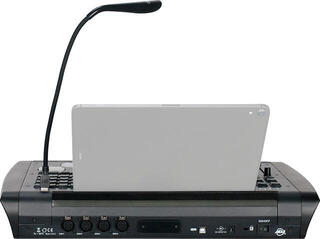
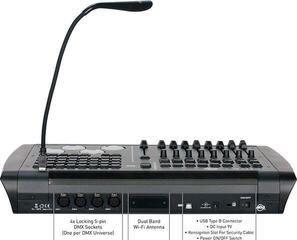
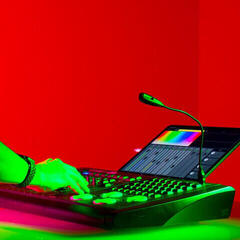
Lighting consoles are used to control lights via the DMX protocol. From one place, you can control lighting effects, spotlights, LED bars and moving heads, and prepare scenes, chase sequences and lighting shows for a concert, club or theatre stage. The range includes models from brands such as LWS, Light4Me, ADJ, Cameo and Wolfmix.
How many channels do you need?
The most important factor is the number of DMX channels the console supports. Designations such as 54, 192 or 384 on many models indicate the number of controlled channels. The larger the lighting setup, the more channels you need.
| Setup size | Suitable for | What to check |
|---|---|---|
| Smaller, approximately 54 channels | Home use, small clubs and rehearsal rooms | Number of faders and scene buttons |
| Medium, approximately 192 channels | Stages with several lights | Scene memory and the ability to run sequences |
| Larger, approximately 384 channels | More extensive shows and installations | Control layout and PC connection |
Hardware or software
Conventional hardware consoles with faders are quick and easy to navigate, making them suitable for technicians who want hands-on control of the lights. Software solutions combined with an interface, such as SoundSwitch, let you program more complex shows and synchronise the lights with music. DMX interfaces and software are used to connect to a computer.
Cables and connections
The console connects to the lights with a DMX cable, so remember to choose a sufficiently long cable. In larger installations, you can use splitters and mergers to distribute the signal into several branches. Check that you have enough channels for all the lights and that the DMX addresses are set correctly.
If simple control without programming is enough for you, take a look at simple lighting controllers. Dimmer units provide smooth dimming. Wireless lighting control gives you freedom of movement. You can find the full range in the lighting controllers and dimmers category.