Albania
 Argentina
 Australia
 Austria
 Belgium
 Bosnia and Herzegovina
 Brazil
 Bulgaria
 Canada
 Chile
Chile
 Colombia
 Croatia
 Czech Republic
 Denmark
 Estonia
 Finland
 France
 Germany
 Greece
 Hungary
 Ireland
 Italy
Italy
 Latvia
 Lithuania
 Luxembourg
 Mexico
 Moldova
 Montenegro
 Netherlands
 New Zealand
 North Macedonia
 Norway
 Philippines
 Poland
 Portugal
 Romania
 Serbia
 Slovakia
 Slovenia
 South Africa
 Spain
Spain
 Sweden
 Switzerland
 Turkey
 Ukraine
 United Kingdom
 United States of America



PA
Sound equipment covers the complete signal path: capture with a microphone or instrument, mixing and processing, amplification, reproduction and monitoring. A rehearsal-room band, mobile engineer, home studio and fixed installation all need different systems. The safest selection starts with a plan for inputs, outputs, the space and transport rather than unrelated individual purchases. Every link needs compatible connectors and levels, with enough headroom for real use.
Start with the signal path
The source may be a voice, acoustic instrument, electric guitar, player or computer. A microphone signal needs preamplification, a high-impedance instrument may require a DI box, and a line source connects to a suitable line input. Signals meet at the mixing console, where you set levels, routing and monitors and, depending on the console, apply processing.
The main output feeds active speakers or a power amplifier driving passive speakers. Incorrectly connecting microphone, line and speaker levels can cause weak sound, noise, distortion or damage. Read input and output labels before making connections. A physically matching connector does not guarantee an electrically correct link.
| Task | Typical device | Main question |
|---|---|---|
| Capture a voice or instrument | Microphone, DI box, instrument input | What source, level and polar pattern are involved? |
| Mix and route | Analogue or digital mixing console | How many inputs, monitor mixes and recording paths do you need? |
| Process the signal | Equalizer, compressor, effect, DSP | Is the function already in the console, and where should it sit in the chain? |
| Amplify and reproduce | Active speaker or amplifier with passive speaker | Do the power and impedance requirements and room coverage match? |
| Hear your own performance | Stage or in-ear monitor | How many separate mixes and how much freedom of movement do you need? |
Microphones and the input stage
Choose a microphone for the source, environment and performer's movement. Dynamic models are often used for loud sources and live performance; condensers can capture fine detail but may reveal more of the room. The polar pattern helps manage spill and feedback. Enable phantom power only where required and supported.
For instruments, a DI box can adapt the signal for a microphone input and support a longer balanced cable run. Active and passive DI boxes suit different sources; the instrument electronics and input characteristics determine the choice. Set preamp gain during the loudest part of the performance with headroom remaining. Lowering the fader later cannot repair an overloaded input.
Choose the console for the workflow
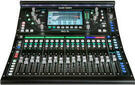
An analogue console gives direct access to controls and a readily understood signal path. A digital model adds scenes, more internal processing, layers and remote control. A small console may cover speech or a duo, while a band needs inputs for drums, instruments and vocals plus spare capacity. Monitor-bus count is often as important as channel count.
For a digital system, include the stagebox, network, app and backup control in the plan. With analogue, allow for a multicore and any external processors. A powered mixer contains a power amplifier and connects to suitable passive speakers; a standard console provides a line output. Do not confuse these concepts because the products look similar.
Active or passive PA
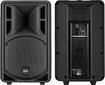
Active speakers have built-in amplification, so each needs a signal and power. The system is easy to expand one unit at a time, and the manufacturer has matched the amplifier to that speaker's drivers. Passive speakers use separate power amplifiers; power equipment can be kept in one place, but impedance, power and speaker cables must be designed correctly.
Driver size alone does not determine volume, quality or suitability. Consider coverage, the room, audience distance, mounting method and required headroom. A speaker stand raises high frequencies above the audience; it needs adequate load capacity and a stable floor. Suspending heavy equipment above people requires a qualified professional and certified mounting points.
Monitoring for musicians
A stage monitor provides sound from the floor or a stand and can serve several players. Its position relative to a microphone affects feedback. In-ear monitoring sends a mix to earphones and reduces dependence on one position, but requires a correct seal, cautious volume and frequency coordination when wireless. Every separate mix consumes an output bus on the console.
Musicians do not automatically need every channel in their monitors. Start with rhythm and pitch references, then add only missing sources. Talkback and ambient microphones improve communication but must be routed correctly. Check each mix with the whole band before the concert, not one instrument at a time.
Processing: fewer blocks, clear purpose
Effects and signal processors include equalizers, dynamics processors, crossovers, delays and spatial effects. An equalizer shapes the spectrum, a compressor manages dynamics, and a limiter can protect against peaks within a properly designed system. Reverb creates space, but too much reduces intelligibility. Insert each block knowing what reaches its input and where its output returns.
A digital console or DSP may combine several functions in one device. This saves cabling but does not prevent routing mistakes. Save a safe starting point, label inputs and check gain at every stage. If the sound is wrong, inspect the source, microphone and placement first; a processor cannot fix a broken cable or poorly positioned speaker.
In the studio, count inputs rather than audience members
Choose an interface by the number of sources recorded at once, microphone inputs, monitor paths and digital expansion. A compact USB audio interface may be enough for simple home recording. A larger setup requires attention to synchronisation, drivers and routing. Computer software is part of the system, not a cure for an unsuitable input level.
Cables, power and protection
Signal, speaker and power cables have different constructions and purposes. Do not replace a speaker cable with an ordinary instrument cable, and route power so connectors do not carry strain. Balanced lines help reject interference over longer runs. Label both ends of every cable so you can trace a fault quickly.
- Switch equipment on in an order that limits thumps through the speakers; switch off in reverse.
- Have a competent person assess power load, protection and distribution at an event.
- Cover cables across public routes with a suitable cable ramp or route them away from foot traffic.
- Transport equipment in correctly sized cases and inspect connectors after moving it.
- Prepare spare critical cables, batteries and a simple failure plan.
A system for the intended use
Speech and smaller events
Priorities are intelligibility, simple operation and suitable coverage. You need a microphone, enough inputs, appropriate speakers and stands; a music subwoofer may be unnecessary. Check the band of a wireless microphone and carry backup power. Place the controls where the operator can hear the actual sound.
Band and mobile PA
Count microphones, DI boxes, monitors and playback channels. Include a stagebox or cable loom, power distribution, stands and safe transport. The soundcheck must cover the main system and every monitor mix. You can compare complete PA systems for an integrated solution, but always check what is included and how the system can be expanded.
Pre-purchase checklist
- List every source and the number of simultaneous inputs.
- Define main outputs, monitor count and any recording path.
- Compare levels, connectors, impedance and power for every component.
- Measure the room, transport space and safe positions for stands or racks.
- Allow capacity for cables, protection, spares and later expansion.
Device count is not the goal. Speech needs intelligibility and simple operation; a band adds monitors, inputs and safe transport; a studio adds recording routes. A drawn signal path from source to listener quickly reveals a missing input, incorrect level or an intermediate device you do not need.
Deals Live Sound

Latest Products: PA
Mixing Desks
Loudspeakers

Power Amplifiers
Wireless Systems
Effects and Signal Processors
Installation Equipment

In-Ear Monitoring
Megaphones

Gigbags, Covers and Accessories for PA
Microphones

Stands
Cables, Plugs and Adapter Plugs
Power Cords and Extension Cords
Rack Cases and Stands
Stage constructions
Crossovers, Loudspeaker Systems

Di-Boxes

Fabric Tapes
Popular Brands